For many small and medium businesses, operational complexity does not arrive all at once. It builds gradually.
A customer sends a request by email. A team member records it in a spreadsheet. A manager approves it through WhatsApp. Another employee updates the CRM manually. The customer then calls again to ask for an update.
This fragmented process consumes time, creates data gaps, and makes the customer experience dependent on individual employees.
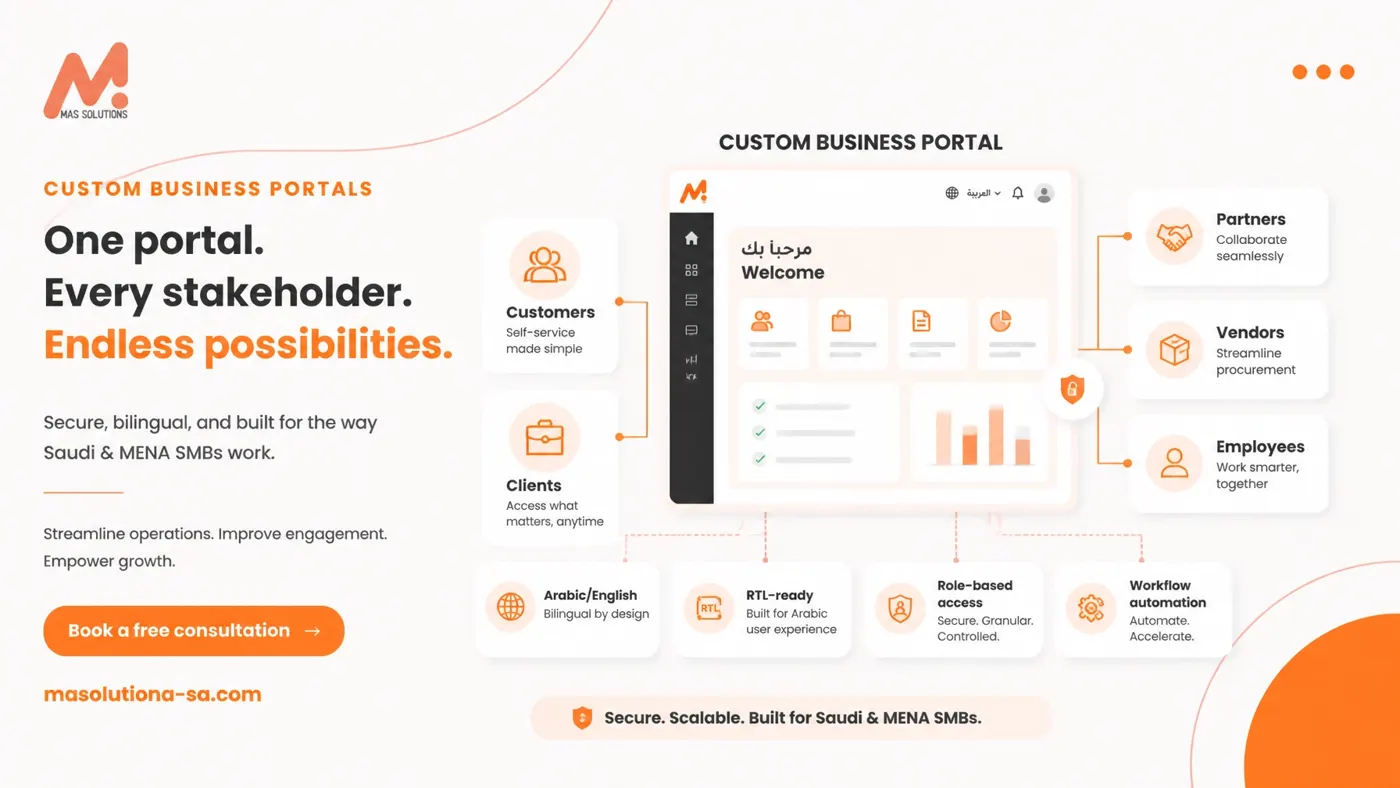
A custom business portal provides a more intelligent alternative: one secure digital environment where customers, clients, partners, vendors, or employees can access information, submit requests, follow workflows, and communicate with your business.
For SMBs in Riyadh, the Gulf, and the wider MENA region, the right portal can improve self-service, operational visibility, data quality, and service consistency without forcing the business into a system that does not reflect how it actually works.
At MAS Solutions, we combine more than 30 years of MarCom expertise with AI-powered app, portal, and automation development. Our aim is straightforward: make your business and your customers feel smart.
What Is a Custom Business Portal?
A custom business portal is a secure, web-based workspace designed around the specific needs of your business and its users.
Unlike a standard website, a portal is interactive and personalized. Users sign in to see information and actions relevant to their role. Depending on the business model, the portal may allow users to:
- Submit and track service requests
- View orders, invoices, contracts, or project updates
- Upload and download documents
- Complete onboarding forms
- Approve tasks or requests
- Communicate with support teams
- Access dashboards and reports
- Receive automated notifications
- Use an AI assistant for common questions and guided actions
A portal can serve one audience or several. Common portal types include:
- Customer portals: self-service support, orders, payments, documents, and account information
- Client portals: project updates, approvals, deliverables, contracts, and communication
- Partner portals: shared resources, opportunities, training, and collaboration
- Vendor portals: purchase orders, invoices, compliance documents, and delivery updates
- Employee portals: internal requests, policies, tasks, HR workflows, and operational reporting
The most effective portal is not the one with the longest feature list. It is the one that removes the most important friction from the customer and operational journey.
Why SMBs Need More Than Email and Spreadsheets
Email, spreadsheets, messaging applications, and disconnected software can help a business get started. They become less effective when the business grows, the number of requests increases, or several departments need access to the same information.
A custom portal creates a structured layer between your business systems and the people who interact with them.
Better Self-Service
Customers do not always want to call or wait for a response. They may simply need to check an order, download a document, submit a request, or understand the next step.
A portal gives them access to those actions when it is convenient for them. This improves the experience while allowing your team to focus on requests that genuinely require human attention.
Clearer Workflow Visibility
A portal can show where each request sits in the process: submitted, under review, awaiting approval, in progress, and completed.
This visibility helps managers identify bottlenecks, assign responsibility, and communicate realistic timelines. It also gives customers confidence that their request has not disappeared inside an inbox.
Higher Data Quality
Manual re-entry creates avoidable errors. A customer may submit information through email, an employee may copy it into a spreadsheet, and another team member may enter it into the CRM.
Portal forms can standardize required fields, validate information, reduce duplication, and send data directly to connected systems. Better data supports better decisions.
More Consistent Communication
Notifications can be triggered when a request is received, a status changes, an approval is needed, or an action is overdue.
The result is a more consistent communication experience across email, SMS, WhatsApp, or other approved channels. Customers stay informed, and employees spend less time sending repetitive updates.
Essential Features of a Business Portal
The right features depend on your business model, audience, compliance requirements, and operational goals. However, several capabilities are particularly important for SMBs across Saudi Arabia and MENA.
Arabic and English Support
Bilingual functionality should be considered from the beginning, not added as an afterthought.
A strong Arabic/English portal should provide:
- Consistent content in both languages
- Clear language switching
- Proper Arabic typography
- RTL and LTR layouts
- Equivalent functionality across both versions
- Bilingual consent, privacy, and help content
Arabic layouts affect more than text alignment. Forms, tables, menus, progress indicators, icons, and navigation patterns must all be tested in RTL mode.
Role-Based Access
Every user should see the information and actions appropriate to their role.
For example, a customer may view their own tickets and invoices, while an account manager may see all activity for assigned accounts. A vendor may access purchase orders but not internal financial reports.
Role-based access supports usability and security by ensuring that users are not overwhelmed with irrelevant information or exposed to data they should not access.
Dashboards and Reporting
A dashboard converts operational activity into useful visibility.
Depending on the portal, dashboards may display open and completed requests, average response or resolution time, pending approvals, customer activity, document completion status, sales or service pipeline information, outstanding invoices, and workflow exceptions.
Reports should connect to practical business questions. A dashboard is valuable when it helps a manager decide what to prioritize next.
Forms and Guided Workflows
Well-designed forms guide users through the information required to complete a task correctly.
Conditional logic can show or hide questions based on previous answers. Multi-step workflows can route submissions to the right department, require approval, and trigger follow-up actions.
This is especially useful for onboarding, support, service changes, document collection, purchase requests, and internal approvals.
CRM, ERP, and Business System Integrations
A portal should not become another isolated database.
Where appropriate, it should connect with systems such as:
- CRM platforms
- ERP and accounting software
- Inventory systems
- Customer support tools
- E-commerce platforms
- Payment gateways
- Document management systems
- Email, SMS, and WhatsApp workflows
Integration architecture must be planned carefully. The objective is to give users accurate, relevant information without creating unnecessary duplication or unreliable synchronization.
AI Assistants
An AI assistant can help users find information, understand procedures, complete forms, and identify the correct next step.
For example, an assistant may answer questions from an approved knowledge base, guide a customer through a support request, or help an employee locate an internal policy.
AI should be introduced with clear boundaries. Access permissions, approved content, escalation routes, human oversight, and data protection must be defined before deployment.
Scalable Architecture
A portal should support the business you have today while leaving room for the business you intend to build.
A scalable architecture may allow you to add new user roles, additional departments, more workflows, new integrations, advanced reporting, AI capabilities, new languages, and multiple business units or locations.
Scalability does not mean building everything on day one. It means making intelligent architectural decisions early.
Why an Off-the-Shelf System May Not Fit Every Business
Off-the-shelf platforms can be useful. They may offer speed, familiar features, and lower initial implementation effort.
However, a standard system may not fit every SMB because it can impose:
- Workflows that do not match your actual operations
- Limited Arabic or RTL support
- Unnecessary features that confuse users
- Restricted branding and user experience
- Weak integration options
- Per-user pricing that becomes difficult to manage
- Limited control over data flows and hosting
- Workarounds that preserve manual work instead of removing it
The question is not whether off-the-shelf software is good or bad. The question is whether it supports your customer journey and operating model.
A custom portal becomes especially valuable when your processes are commercially important, differentiated, or difficult to represent through templates.
Start With the Right MVP: Not the Biggest System
The best portal projects begin with focus.
Before selecting technology, identify the most important user problems and operational bottlenecks. Ask:
- Which requests consume the most employee time?
- Where do customers experience the most uncertainty?
- Which data is repeatedly entered or corrected?
- Which approvals create delays?
- Which tasks can users complete without assistance?
- Which systems must remain the source of truth?
- Which KPIs will demonstrate improvement?
A practical MVP may include one audience and one complete workflow, such as:
This "thin slice" approach allows your team to validate usability, data flows, permissions, and operational impact before adding more complexity.
A focused MVP is not a limited vision. It is disciplined execution.
The MAS Solutions Approach: Insights → Strategy → Execution
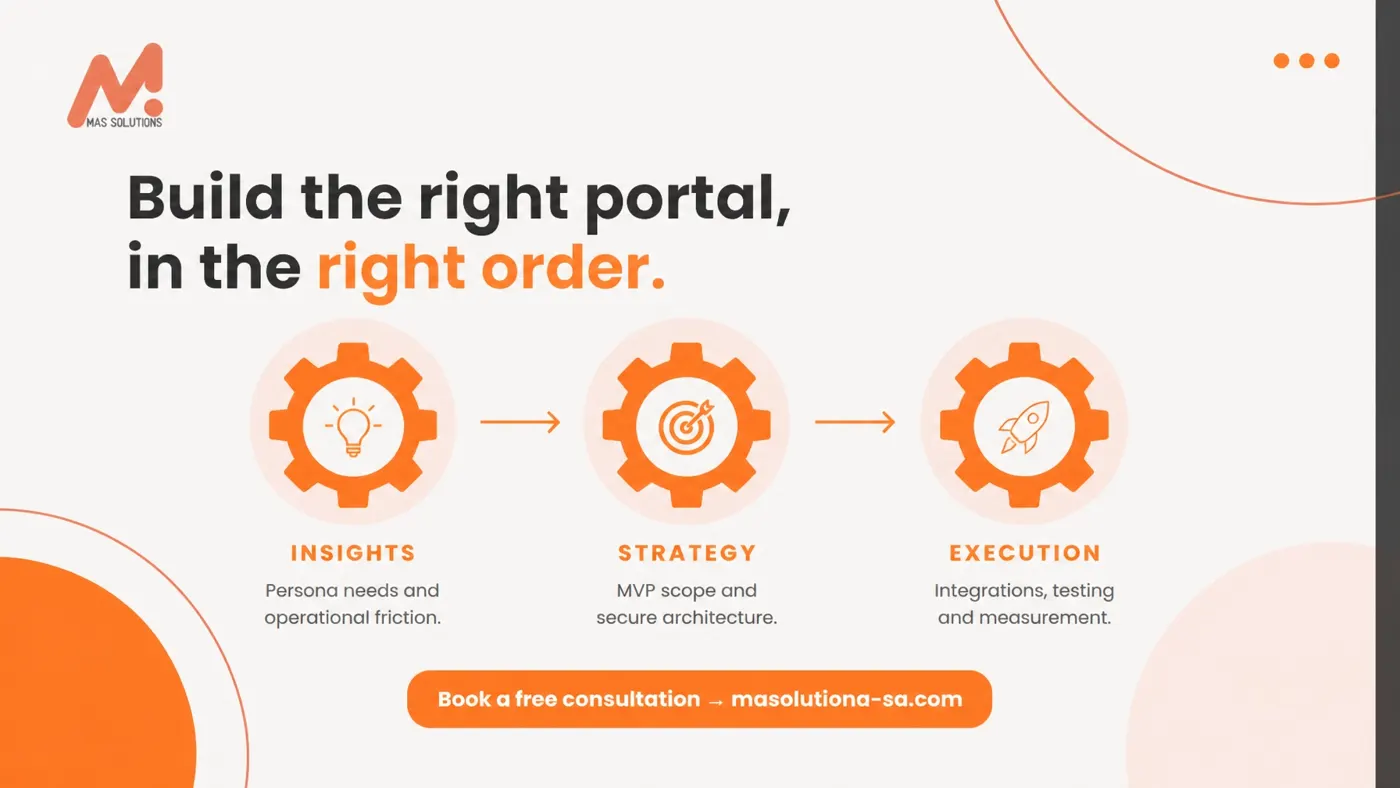
At MAS Solutions, we apply our Three-Gear Methodology to portal development.
Gear 1: Insights
We begin with the people and processes.
We study customer personas, employee needs, operational friction, existing systems, market expectations, and regional requirements. We identify what users are trying to accomplish and why current processes make that difficult.
Gear 2: Strategy
We translate those insights into a portal roadmap.
This includes the MVP scope, information architecture, user roles, bilingual experience, RTL requirements, integration plan, security considerations, AI opportunities, and measurable KPIs.
Every feature must earn its place by supporting a real user need or business outcome.
Gear 3: Execution
We bring the portal to life through prototyping, development, integration, testing, deployment, and continuous improvement.
We test with real user scenarios, including Arabic and English journeys. We validate permissions, forms, notifications, integrations, accessibility, and performance before the portal is placed at the center of daily operations.
This is how we keep the knowledge bridge open: your team understands what is being built, why it matters, and how success will be measured.
Security, Usability, and PDPL Awareness
A portal may handle personal, commercial, financial, or operational information. Security must therefore be designed into the product from the beginning.
Important considerations include:
- Secure authentication and session management
- Role-based permissions
- Encryption in transit and at rest where appropriate
- Audit trails for sensitive activity
- Controlled access to documents and reports
- Data minimization
- Clear privacy notices and consent workflows
- Defined retention and deletion processes
- Review of third-party integrations and data transfers
- Hosting and data-residency requirements
PDPL awareness is essential for businesses operating in Saudi Arabia. The precise obligations depend on the data, business activity, processing purpose, and technical environment. A portal project should include data mapping and a compliance review, with qualified legal or privacy advice where required.
Security should never be treated as a final checklist. It is part of customer trust.
Measure the Business Outcome
A portal is an investment, not simply a technology project. Define success through KPIs that reflect your objectives, such as:
- Self-service completion rate
- Reduction in repetitive support requests
- Average response and resolution time
- Form completion rate
- Approval cycle time
- Data-entry error rate
- Portal adoption and active usage
- Customer satisfaction
- Workflow backlog
- Percentage of requests completed digitally
The right metrics depend on the starting point and the intended outcome. We establish a baseline where possible, then use reporting and feedback to improve the experience over time.
Build a Portal That Makes Everyone Feel Smarter
Good technology makes information available. Great technology makes the next action obvious.
A custom business portal can help your customers serve themselves, your employees work with greater clarity, and your managers make decisions with better visibility. It can connect your CRM, ERP, workflows, and communications into one coherent digital experience.
But the portal must begin with people, not features.
Our evolution from MarCom to AI-powered apps and portals reflects that belief. We bring customer-centric strategy, brand understanding, technical capability, and regional insight together to create practical digital solutions for SMBs across Riyadh, the Gulf, and MENA.
Let's turn your operational challenges into digital triumphs.
Book a free 30-minute consultation — you'll leave with a concrete plan either way.